The SABRENT 4 Port USB 2.0 Hub review is for shoppers who need a simple way to connect several everyday USB peripherals through one compatible device.
Its four ports, compact form, and adjustable connector are handy design choices, though this hub does not support charging.
SABRENT USB Hub Review Summary
The quick verdict
16,000+ ratings
Read Amazon ReviewsSABRENT 4-Port USB 2.0 Hub
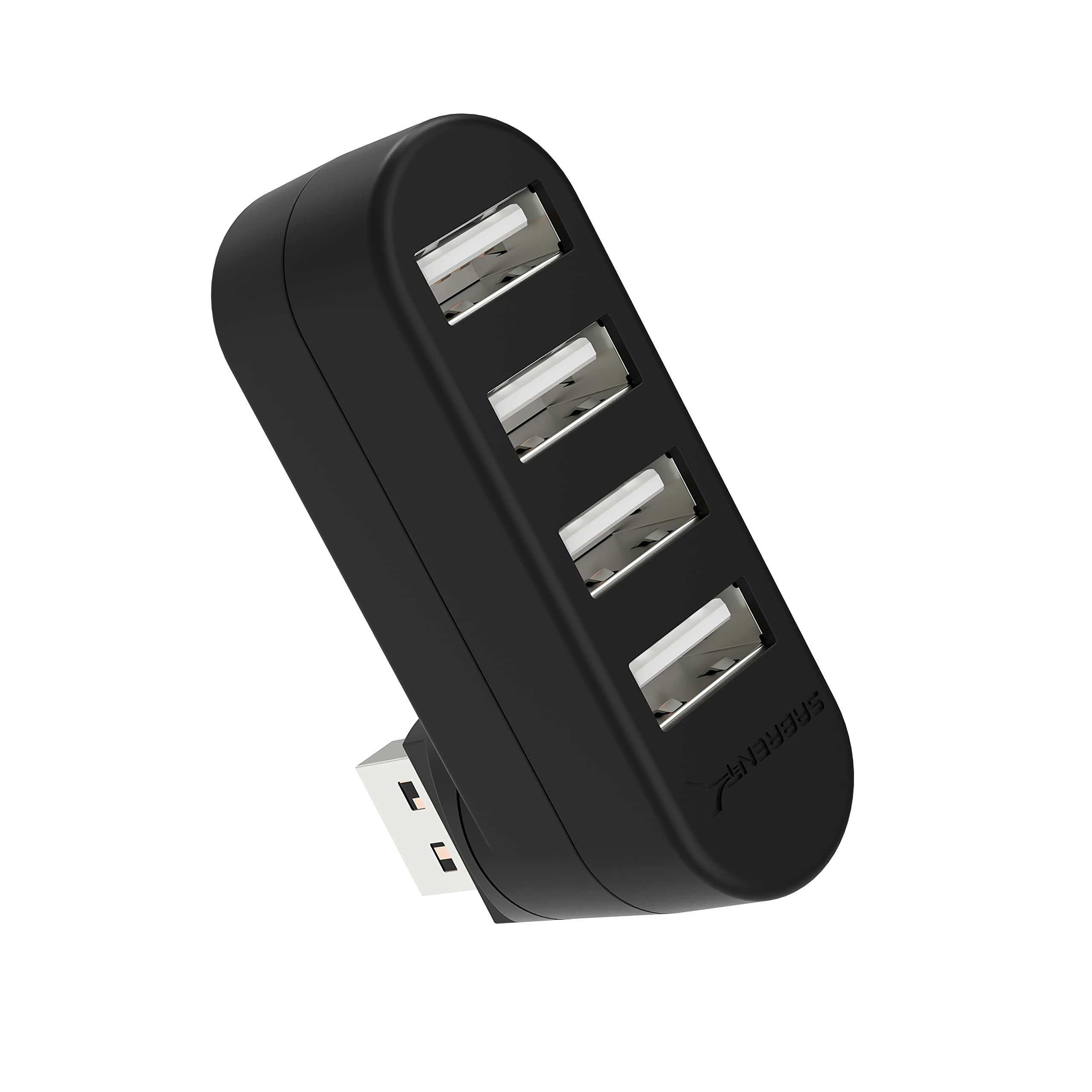
A compact, portable option for adding four USB 2.0 connections to compatible devices when charging and high-speed transfers are not priorities.
- Four USB 2.0 ports for connecting multiple compatible USB devices.
- Rotating USB connector adjusts through 90 or 180 degrees.
- Plug-and-play setup with hot-swappable and hot-pluggable operation.
- Designed for compatibility with Windows, Mac, and Linux systems.

Pros
- Adds four ports in a compact form.
- Rotating connector can make placement easier around crowded or awkwardly oriented host ports.
Consider before buying
- Does not support charging.
- USB 2.0 is a basic-speed choice for data devices; buyers moving large files may prefer a faster hub.
Read the full review summary
This hub takes a straightforward approach to expanding connectivity: connect it to a compatible device, then use its four USB 2.0 ports for peripherals such as a keyboard, mouse, or other USB devices.
The connector can rotate 90 or 180 degrees, which may help the hub sit more conveniently depending on the orientation of the host port and nearby space.
Its small, lightweight plastic body is suited to a minimal desk setup or a travel kit, and plug-and-play, hot-swappable operation keeps setup simple. The key limitation is that charging is not supported.
USB 2.0 is also a better fit for basic peripherals than for buyers prioritizing faster transfers to external storage.
The buying factors
SABRENT USB Hub Scorecard
Editorial scores reflect listed features and buyer fit; they are not laboratory measurements or customer ratings.
Port expansion
Four USB 2.0 ports offer a useful increase for connecting several compatible peripherals.
Port flexibility
The connector rotates 90 or 180 degrees, giving more choice in how it is positioned.
Portability
Its compact dimensions and one-ounce listed weight suit travel and space-conscious setups.
Setup simplicity
Plug-and-play and hot-swappable operation are designed to make connecting devices straightforward.
Transfer capability
USB 2.0 is suitable for common peripherals, but it is not the fit to choose when faster transfers are the priority.
Charging utility
Charging is explicitly unsupported, limiting its usefulness for powering connected devices.
Key Features and Specifications of SABRENT USB Hub
- Four USB 2.0 ports for connecting multiple compatible USB devices.
- Rotating USB connector adjusts through 90 or 180 degrees.
- Plug-and-play setup with hot-swappable and hot-pluggable operation.
- Designed for compatibility with Windows, Mac, and Linux systems.
- Compact plastic body measures approximately 2.3 by 0.7 by 1.7 inches and weighs one ounce.
- Charging is not supported.
Pros and Cons of SABRENT USB Hub
Pros
- Adds four ports in a compact form.
- Rotating connector can make placement easier around crowded or awkwardly oriented host ports.
- Lightweight design suits a travel bag or small workspace.
- Plug-and-play operation avoids a complicated setup process.
Consider before buying
- Does not support charging.
- USB 2.0 is a basic-speed choice for data devices; buyers moving large files may prefer a faster hub.
- The compact design does not provide the kind of dedicated power setup some multi-device arrangements need.
Who Should Buy SABRENT USB Hub?
Good fit
Consider this hub if your laptop or other compatible device has too few USB connections for everyday peripherals.
Four ports can help keep a keyboard, mouse, and other accessories connected, while the adjustable plug offers useful flexibility when the host port faces a less convenient direction.
It is also a reasonable fit for a portable setup where size and ease of connection matter more than advanced features.
Before buying, check that the host device has a compatible USB port and that the devices you plan to attach do not need hub-based charging.
For a simple peripheral hub, its appeal is the combination of four connections, plug-and-play use, and a compact body. Keep expectations aligned with USB 2.0: it is intended for basic connectivity rather than a high-speed storage workflow.
Who should skip it
Skip this model if you need a hub to charge a phone, tablet, or other device; charging is not supported.
Also look elsewhere if faster data transfers are central to your setup, or if your connected devices require a dedicated powered hub.
How the SABRENT USB Hub Fits a Simple Setup
Four ports for everyday peripherals
The four-port layout is the central reason to choose this hub.
It can consolidate several compatible USB connections through one host port, which is useful when a computer has limited ports and the attached devices are mainly everyday accessories.
The available details do not specify a separate power adapter, so buyers connecting several devices should check their own equipment's power needs.
A connector that can change orientation
The rotating connector is a practical feature for cramped desk layouts or devices whose USB port is close to another connector. Its 90- and 180-degree movement gives placement options without changing the hub's role.
Consider the shape of your host device and neighboring ports to judge whether that adjustment will make access more convenient.
Portable dimensions, simple setup
At roughly 2.3 by 0.7 by 1.7 inches and one ounce, the hub is easy to carry alongside a laptop.
Plug-and-play and hot-swappable support suit users who want to connect peripherals without a separate setup routine, and the stated operating-system compatibility spans Windows, Mac, and Linux.
USB 2.0 and the charging limit
USB 2.0 is appropriate for adding basic connections, but it is a modest choice for storage devices where transfer speed matters.
Charging is explicitly unsupported, so treat the ports as connectivity for compatible peripherals rather than a way to replenish batteries. If your routine involves both fast file movement and charging, compare hubs that specify those capabilities.
Alternatives to SABRENT USB Hub
USB Hubs alternative
2,000+ ratings
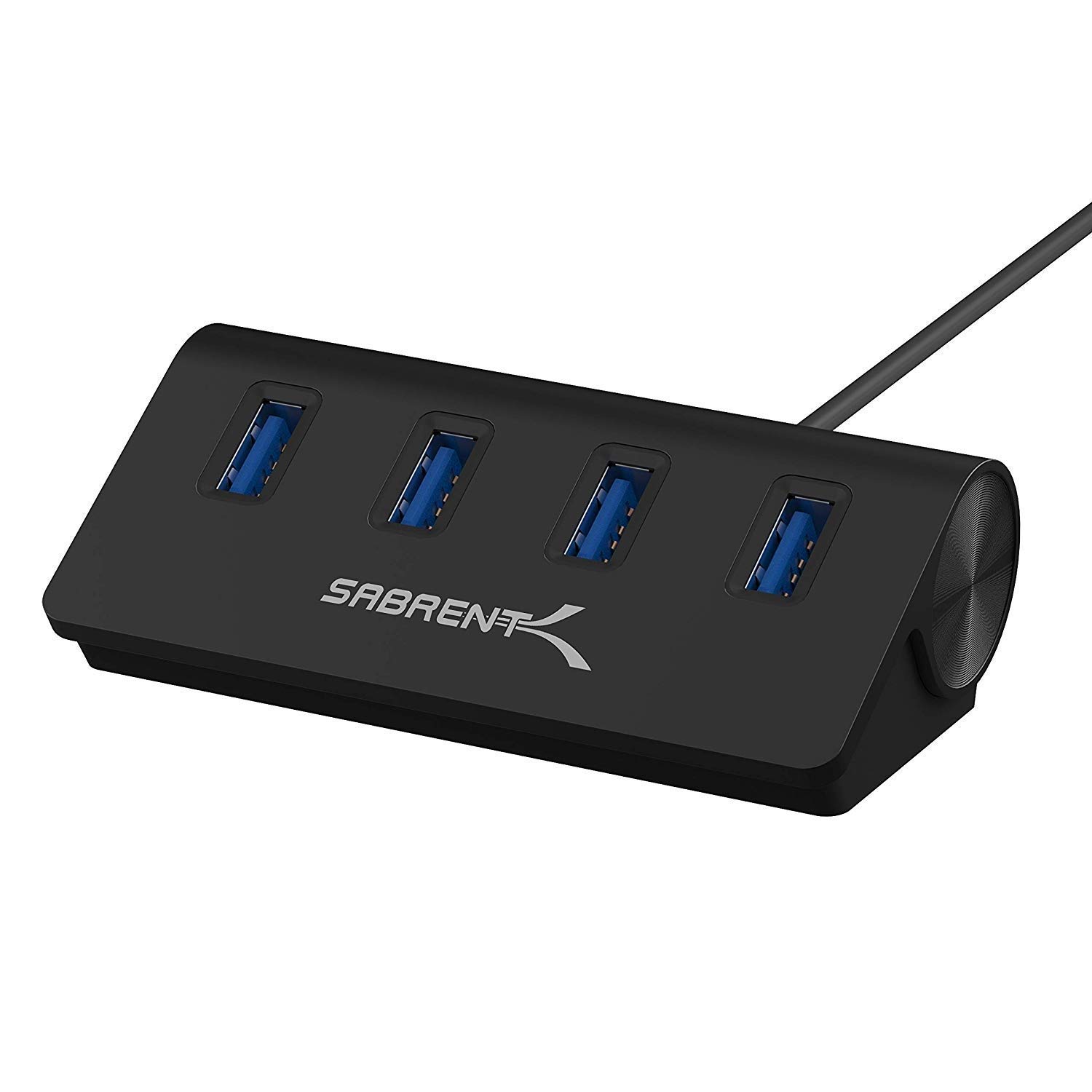
Read Amazon ReviewsSABRENT 4-Port Aluminum USB 3.0 Hub
Choose the reviewed hub if its rotating connector and compact form best suit your host port and your devices are basic peripherals. Consider this alternative if faster transfers and a cable connection matter more to your setup.
- This four-port hub uses USB 3.0, supports transfer speeds up to 5Gbps, and includes a 2.5-foot USB 3.0 cable.
- It is described as aluminum and is compatible with USB 2.0 and USB 1.1.
- The reviewed model offers four USB 2.0 ports in a compact, lightweight body with a rotating connector, and it does not support charging.
USB Hubs alternative
6,000+ ratings
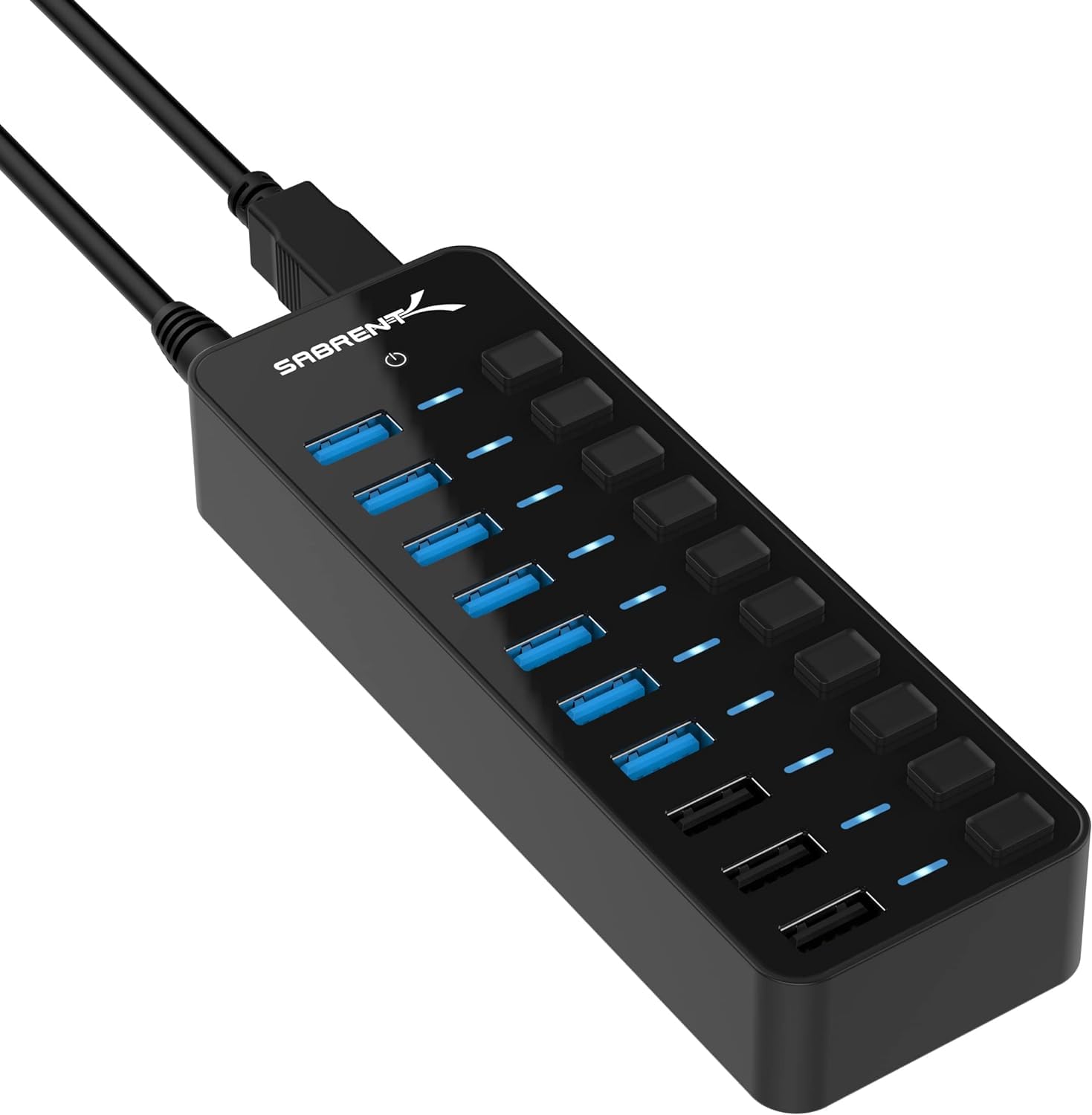
Read Amazon ReviewsSABRENT 10-Port Powered USB 3.0 Hub
The reviewed hub suits a smaller, portable peripheral setup without charging needs. Consider the powered alternative if you need more connections, individual port control, or dedicated charging ports at a desk.
- This powered model connects up to seven USB 3.0 devices for data, has three dedicated charging ports, individual port switches and LEDs, and includes a 60W power adapter.
- The reviewed hub adds four USB 2.0 connections, stays compact, and does not support charging.
Is SABRENT USB Hub Worth It?
The SABRENT 4-Port USB 2.0 Hub is worth considering when you want four simple peripheral connections in a compact package. Its rotating connector and lightweight design add practical flexibility for travel or a crowded workspace.
Buy it for basic USB connectivity, not charging or a faster storage workflow. If those limits conflict with your routine, choose a hub whose documented features match your devices and transfer needs.
Your review at a glance
16,000+ ratings
Read Amazon ReviewsSABRENT 4-Port USB 2.0 Hub
A compact, portable option for adding four USB 2.0 connections to compatible devices when charging and high-speed transfers are not priorities.
- Four USB 2.0 ports for connecting multiple compatible USB devices.
- Rotating USB connector adjusts through 90 or 180 degrees.
- Plug-and-play setup with hot-swappable and hot-pluggable operation.
- Designed for compatibility with Windows, Mac, and Linux systems.