The SABRENT DS-U3B4 review comes down to whether you need four SATA drives accessible from one workstation, plus a way to clone drives without a computer.
Its trayless design and USB 3.0 connection suit hands-on drive management, though the dock is a powered desktop tool rather than a compact single-drive adapter.
SABRENT DS-U3B4 Review Summary
The quick verdict
17,000+ ratings
Read Amazon ReviewsSABRENT DS-U3B4
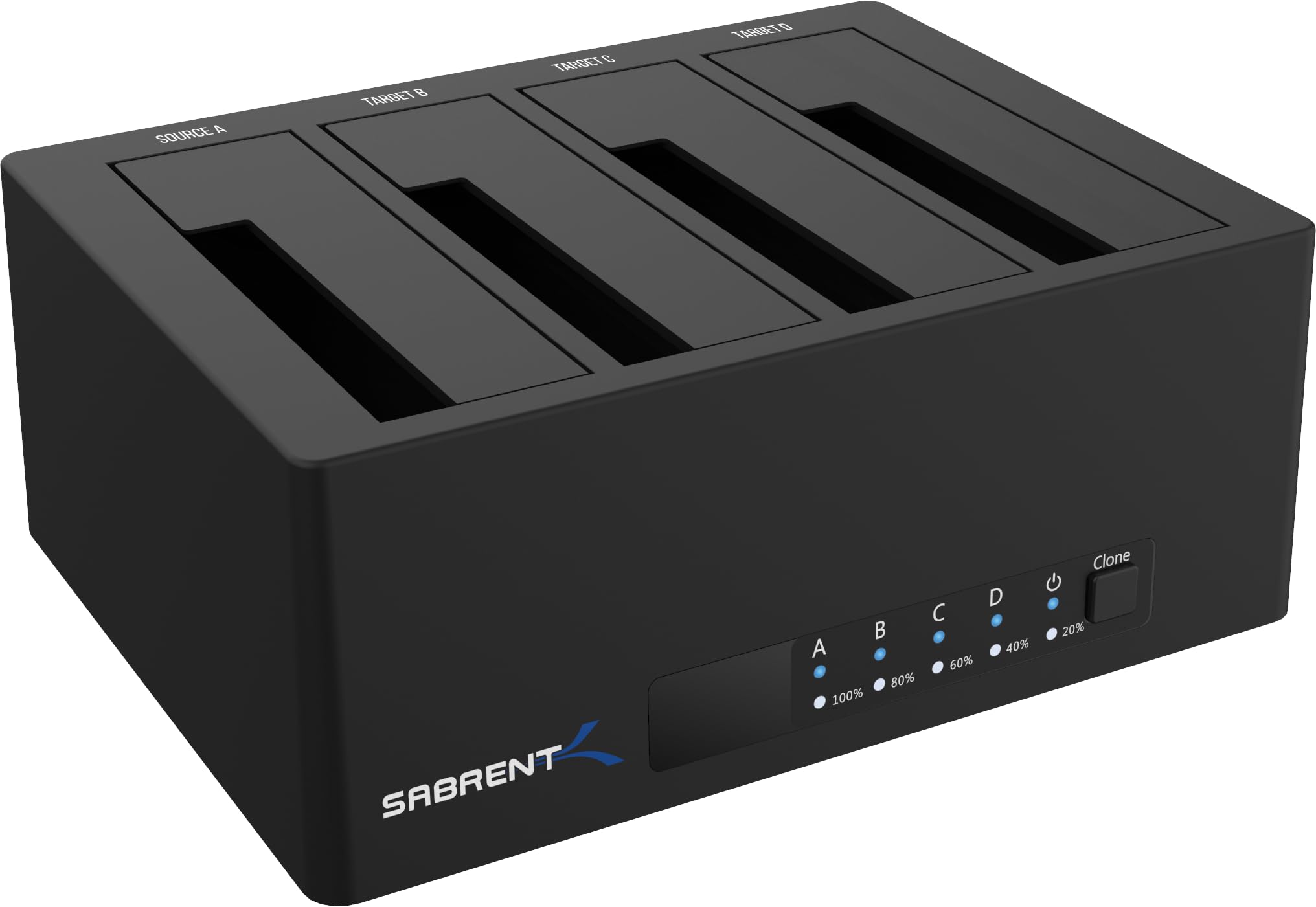
A practical option for people who regularly access or clone several 2.5-inch and 3.5-inch SATA drives from one desktop dock.
- Four SATA bays support up to four 2.5-inch or 3.5-inch hard drives and solid-state drives.
- USB 3.0 host connection provides transfer speeds up to 5Gbps and supports USB 2.0 systems.
- Trayless design accepts drives directly, without trays or tools; insert and remove drives with the dock powered off.
- Offline cloning copies from one drive to another without a computer, with LED indicators showing clone progress.

Pros
- Four bays let you keep several SATA drives accessible through one dock.
- Works with both 2.5-inch and 3.5-inch HDDs and SSDs.
Consider before buying
- It needs a USB-connected computer for routine file access; only the cloning function is described as operating offline.
- The external power adapter means the dock needs access to a power outlet as well as a suitable USB connection.
Read the full review summary
The DS-U3B4 brings together four drive bays, a USB 3.0 computer connection, and offline cloning.
It supports up to four 2.5-inch or 3.5-inch SATA HDDs and SSDs, making it useful for organizing backup drives, moving files between disks, or working with several drives from a single dock.
The bays accept drives directly, with no trays or tools needed for insertion or removal when the dock is powered off.
This design is best suited to a home office, repair bench, or media workspace where multiple SATA drives are handled regularly.
The 5Gbps USB 3.0 interface is backward compatible with USB 2.0 systems, while the included external power adapter supports operation with multiple drives installed.
If you only need to connect one drive occasionally, a simpler single-bay dock may take up less space and better match the job.
The buying factors
SABRENT DS-U3B4 Scorecard
Editorial scores reflect listed features and buyer fit; they are not laboratory measurements or customer ratings.
Drive capacity
Four bays support up to four 2.5-inch or 3.5-inch SATA HDDs and SSDs.
Drive access
Trayless insertion makes swapping drives straightforward, with no tray or tool required.
Connection flexibility
USB 3.0 offers transfer rates up to 5Gbps and remains compatible with USB 2.0 systems.
Standalone cloning
Offline cloning allows a direct drive-to-drive copy without connecting a computer.
Setup simplicity
Plug-and-play operation requires no drivers or software.
Desk convenience
Four bays and an external power adapter are useful for multi-drive work but call for a dedicated workspace and outlet.
Key Features and Specifications of SABRENT DS-U3B4
- Four SATA bays support up to four 2.5-inch or 3.5-inch hard drives and solid-state drives.
- USB 3.0 host connection provides transfer speeds up to 5Gbps and supports USB 2.0 systems.
- Trayless design accepts drives directly, without trays or tools; insert and remove drives with the dock powered off.
- Offline cloning copies from one drive to another without a computer, with LED indicators showing clone progress.
- Plug-and-play operation requires no drivers or software.
- An external power adapter is included for operation with multiple installed drives.
Pros and Cons of SABRENT DS-U3B4
Pros
- Four bays let you keep several SATA drives accessible through one dock.
- Works with both 2.5-inch and 3.5-inch HDDs and SSDs.
- Offline cloning does not require a computer during the cloning process.
- Direct drive insertion avoids handling separate trays or tools.
- USB 2.0 backward compatibility provides a connection option for older systems.
Consider before buying
- It needs a USB-connected computer for routine file access; only the cloning function is described as operating offline.
- The external power adapter means the dock needs access to a power outlet as well as a suitable USB connection.
- The USB 3.0 interface is rated up to 5Gbps, so buyers planning large transfers should consider whether that interface matches their workflow.
Who Should Buy SABRENT DS-U3B4?
Good fit
Consider the DS-U3B4 if your regular work involves several SATA drives and you want to access them through one workstation.
Four bays can reduce the need to repeatedly connect and disconnect separate docks, while support for both 2.5-inch and 3.5-inch drives gives it flexibility across common drive formats.
The offline cloning function is useful when you need a direct drive-to-drive copy without a computer participating in the process. LED progress indicators give you a visual reference during that operation.
Before using a dock for an important migration or backup, plan the source and destination drives carefully and confirm the data you need is preserved.
Its setup is relatively simple: connect the dock to a computer over USB 3.0, use the included power adapter, and insert drives with the dock powered off.
If you use a USB 2.0 system, the dock is compatible, though the connection will not provide USB 3.0's stated maximum transfer rate.
Who should skip it
Skip this dock if your storage needs are limited to one drive at a time and you do not expect to use offline cloning or multiple bays. A smaller single-drive setup may be easier to accommodate.
Look elsewhere if your drives are not 2.5-inch or 3.5-inch SATA models, or if your setup cannot provide both a USB connection and a nearby power outlet.
Check the interface and workspace requirements of your actual drives and computer before choosing.
How the SABRENT DS-U3B4 Fits a Multi-Drive Setup
Four bays make drive work more centralized
The main appeal is the ability to connect up to four SATA drives in one dock.
That can simplify a routine involving backups, file transfers, or comparing the contents of multiple disks, since the drives share one desktop connection.
It is a particularly relevant layout for people who rotate through several drives rather than treating storage as a single fixed disk.
Trayless access favors frequent swaps
Direct insertion removes the extra step of mounting a drive in a tray.
That can make routine swapping more convenient at a workbench or desk, and the power-off requirement offers a clear point in the process for changing drives.
Buyers should plan to keep drives organized outside the dock when they are not in use.
USB speed depends on the host connection
The dock's USB 3.0 interface is rated for up to 5Gbps and works with USB 2.0 systems.
The stated figure describes the connection's upper limit, not a guarantee of a particular file-copy time; actual results depend on the drives and computer involved.
If frequent large transfers are central to your workflow, check that the host computer and the rest of your setup suit that pace.
Offline cloning separates one task from the computer
A direct clone can be useful when you need to copy a drive without running the process through a computer. The LED indicators show progress during cloning, giving a visible cue while the operation runs.
Because cloning is a different task from browsing or moving selected files, make sure a full drive-to-drive copy is what you need before starting.
Alternatives to SABRENT DS-U3B4
Hard Drive Docking Stations alternative
17,000+ ratings
Read Amazon ReviewsSABRENT EC-HD2B Dual-Bay SATA Docking Station and Cloner
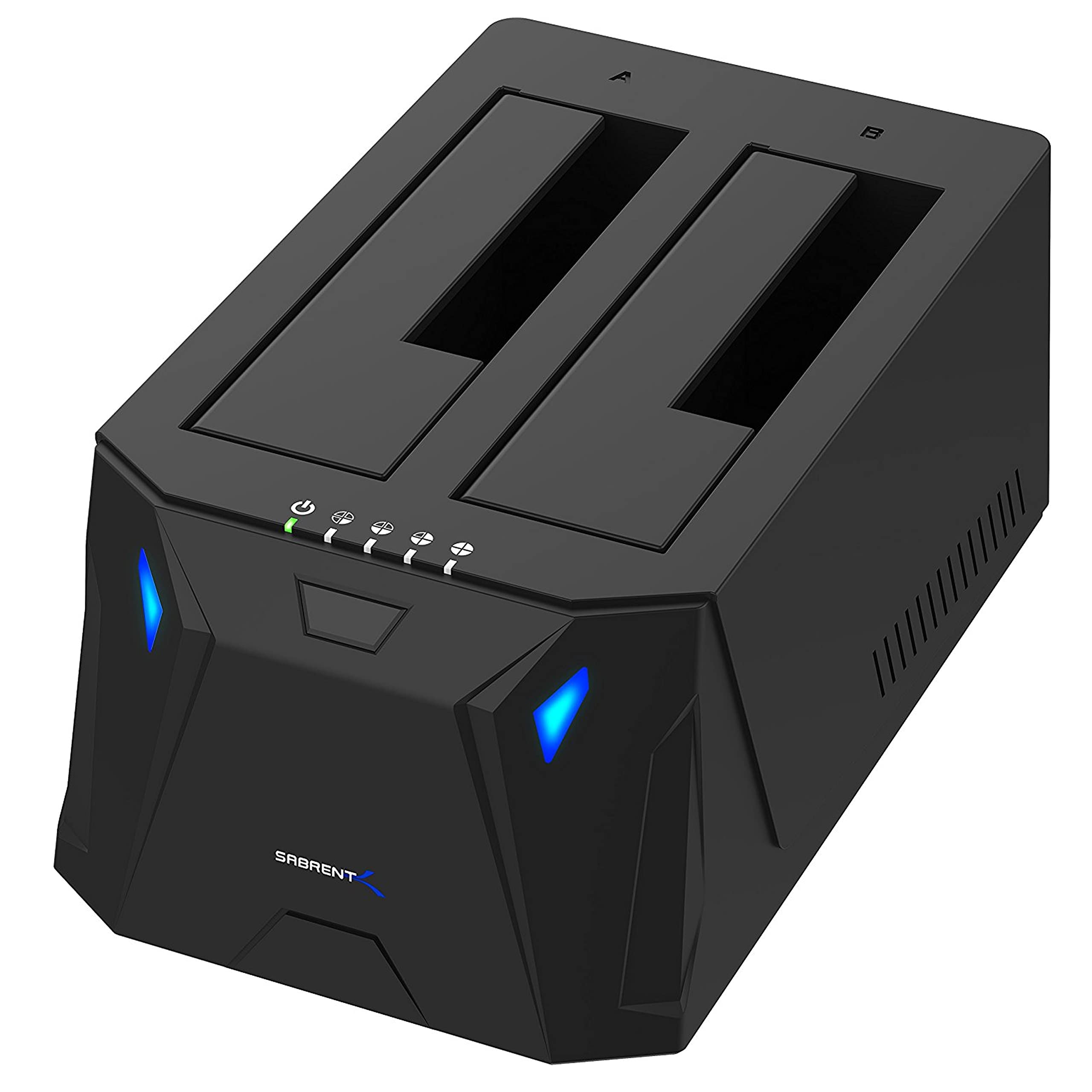
Choose the EC-HD2B if two bays cover your needs and a dual-bay layout is sufficient. The DS-U3B4 is the better fit when you need space for up to four drives in the dock.
- The EC-HD2B supports two standard 2.5-inch or 3.5-inch SATA drives, with USB 3.0 transfer speeds up to 5Gbps and offline cloning.
- The DS-U3B4 provides four SATA bays, supports both 2.5-inch and 3.5-inch drives, and includes offline cloning.
Hard Drive Docking Stations alternative
37,000+ ratings
Read Amazon ReviewsSABRENT EC-DFLT Single-Bay SATA Docking Station
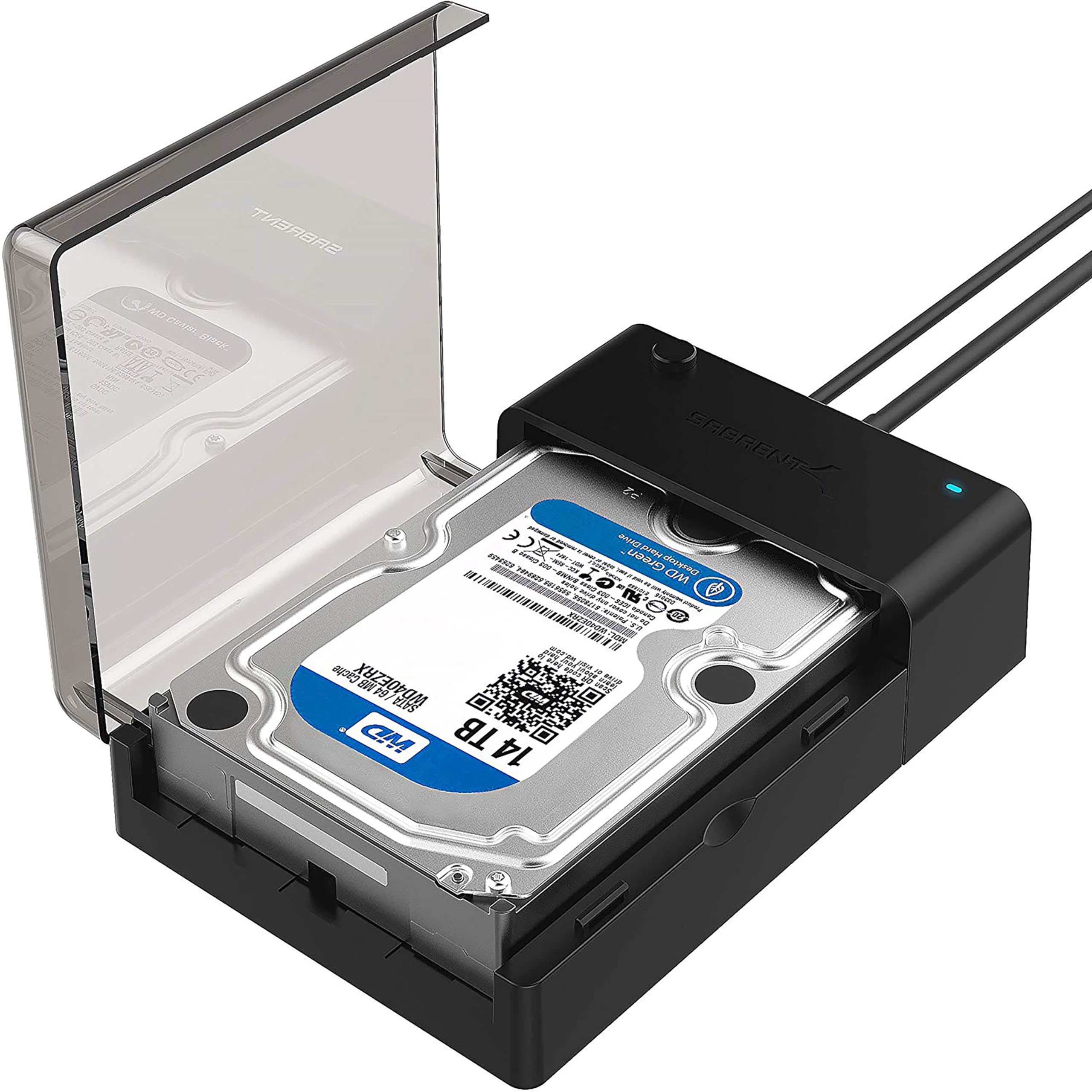
The EC-DFLT may suit occasional access to one drive, especially if you want a simpler single-bay arrangement. Choose the DS-U3B4 when multiple installed drives and standalone cloning are central to the job.
- The EC-DFLT is a single-bay dock for 2.5-inch and 3.5-inch SATA HDDs and SSDs.
- It connects over USB 3.0, supports UASP with a capable host, and is described as plug-and-play for Windows, macOS, and Linux.
- The DS-U3B4 handles up to four SATA drives and can clone directly between drives without a computer.
Is SABRENT DS-U3B4 Worth It?
The SABRENT DS-U3B4 is worth considering if you regularly work with several 2.5-inch or 3.5-inch SATA drives and want four bays, tool-free drive insertion, and offline cloning in one desktop dock.
Its combination of multi-drive access and a computer-free cloning mode addresses a clear set of storage tasks.
Before buying, make sure the four-bay capacity is useful for your routine and that you have room for the dock, its external power adapter, and a USB connection.
For occasional one-drive access, a smaller dock may be a more proportionate choice.
Your review at a glance
17,000+ ratings
Read Amazon ReviewsSABRENT DS-U3B4
A practical option for people who regularly access or clone several 2.5-inch and 3.5-inch SATA drives from one desktop dock.
- Four SATA bays support up to four 2.5-inch or 3.5-inch hard drives and solid-state drives.
- USB 3.0 host connection provides transfer speeds up to 5Gbps and supports USB 2.0 systems.
- Trayless design accepts drives directly, without trays or tools; insert and remove drives with the dock powered off.
- Offline cloning copies from one drive to another without a computer, with LED indicators showing clone progress.