The SABRENT Dual-Bay USB-C Hard Drive Docking Station & Cloner review is for anyone who wants one compact setup for accessing two SATA drives and cloning them offline.
Its useful combination is tool-free drive access, simultaneous read and write, and a host connection rated up to 5Gbps.
SABRENT EC-CH2B Review Summary
The quick verdict
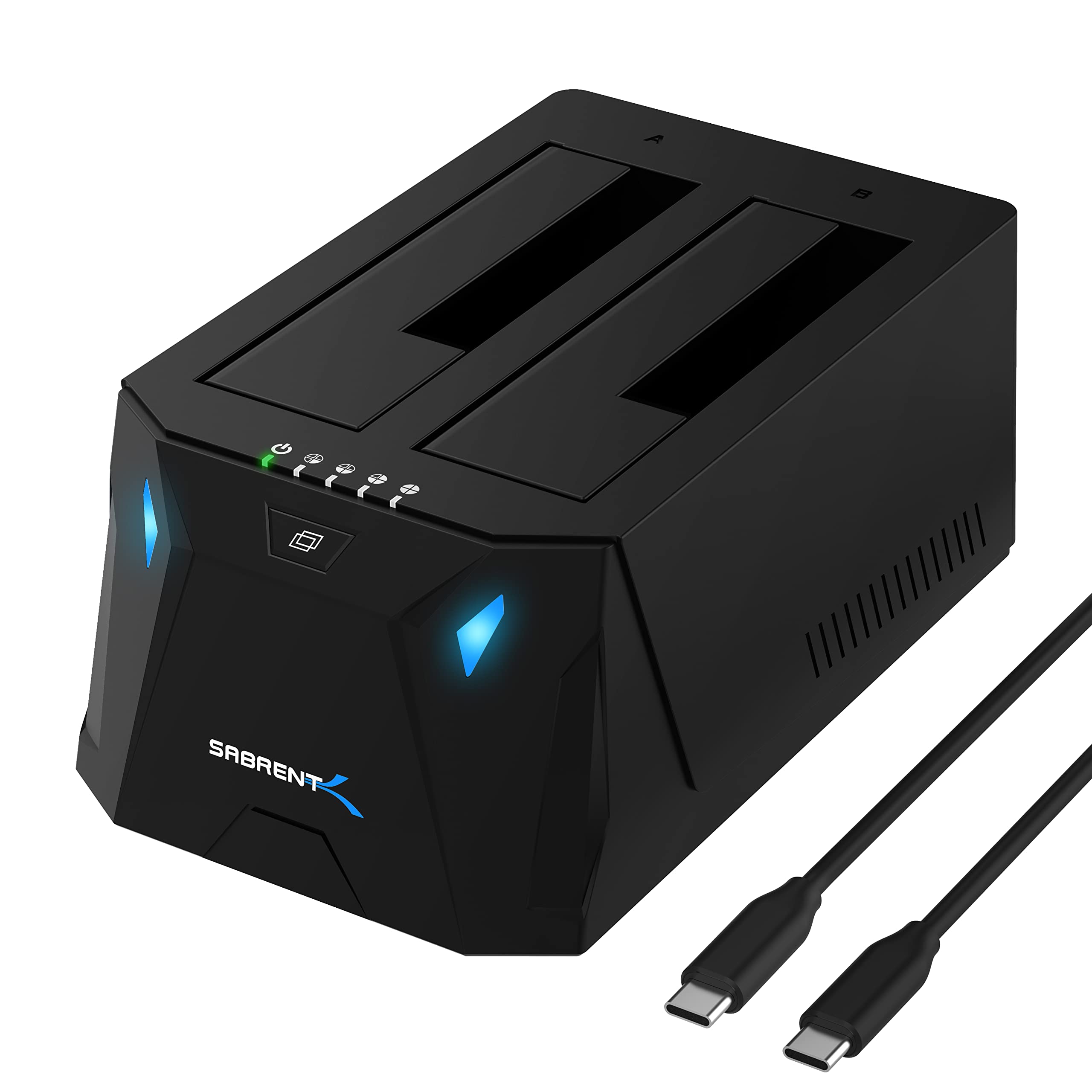
1,000+ ratings
Read Amazon ReviewsSABRENT EC-CH2B Dual-Bay USB-C Dock
A practical fit for buyers who switch between SATA drives, access two disks at once, or clone drives without connecting a computer.
- Two drive bays support 2.5-inch and 3.5-inch SATA hard drives.
- Read and write two drives simultaneously.
- Offline cloning copies drives without a computer; the listed clone speed is up to 60MBps.
- USB 3.0 host connection supports transfer speeds of up to 5Gbps.

Pros
- Handles two SATA drives at once, which is convenient for comparing, moving, or organizing files.
- Offline cloning can copy one drive to another without using a computer for the transfer.
Consider before buying
- The listed offline cloning speed is up to 60MBps, so direct cloning may take time with a large drive.
- The 5Gbps figure is a maximum USB connection rate, not a promise of the sustained speed a particular drive will deliver.
Read the full review summary
The EC-CH2B accommodates two 2.5-inch or 3.5-inch SATA hard drives, with simultaneous read and write for managing separate disks from a single dock.
For occasional drive access, backups, or transfers, that dual-bay arrangement can reduce the need to connect and disconnect drives one at a time.
Offline cloning is the key convenience for buyers copying one drive directly to another without a computer in the process.
The dock also supports hot swapping, works with Windows and Mac OS, and lists support for drives over 20TB.
It suits people who routinely handle SATA storage; buyers should confirm the source and destination drive requirements before relying on a direct clone.
The buying factors
SABRENT EC-CH2B Scorecard
Editorial scores reflect listed features and buyer fit; they are not laboratory measurements or customer ratings.
Dual-drive access
Two drives can be read and written at the same time, making the dock useful for managing more than one disk.
Offline cloning
Drive-to-drive cloning without a computer is a valuable capability, though the listed clone speed is far below the host connection's maximum transfer rate.
Drive compatibility
It supports both 2.5-inch and 3.5-inch SATA drives and lists support beyond 20TB.
Connection speed ceiling
USB 3.0 transfer speeds reach up to 5Gbps, a useful ceiling for drive access but not a guarantee of a particular drive's speed.
Setup convenience
Tool-free installation and hot swapping make routine drive changes straightforward.
Operating system range
Windows and Mac OS support covers many everyday computer setups.
Key Features and Specifications of SABRENT EC-CH2B
- Two drive bays support 2.5-inch and 3.5-inch SATA hard drives.
- Read and write two drives simultaneously.
- Offline cloning copies drives without a computer; the listed clone speed is up to 60MBps.
- USB 3.0 host connection supports transfer speeds of up to 5Gbps.
- Tool-free installation and hot swapping simplify drive access and swaps.
- HDD access LED indicator provides a visual activity cue.
- Compatible with Windows and Mac OS, with support for drives over 20TB.
Pros and Cons of SABRENT EC-CH2B
Pros
- Handles two SATA drives at once, which is convenient for comparing, moving, or organizing files.
- Offline cloning can copy one drive to another without using a computer for the transfer.
- Fits both common 2.5-inch and 3.5-inch SATA drive sizes.
- Tool-free access, hot swapping, and an activity indicator support frequent drive changes.
Consider before buying
- The listed offline cloning speed is up to 60MBps, so direct cloning may take time with a large drive.
- The 5Gbps figure is a maximum USB connection rate, not a promise of the sustained speed a particular drive will deliver.
- The description does not explain the cloning procedure or capacity matching rules; check the instructions and drive requirements before starting an important copy.
Who Should Buy SABRENT EC-CH2B?
Good fit
Consider the EC-CH2B if you regularly work with loose 2.5-inch or 3.5-inch SATA drives and want a single dock to access two of them.
Simultaneous read and write can be handy when moving files between disks or keeping both drives available at a workstation.
It is also a good candidate for a straightforward drive-to-drive copy when you want to clone offline. Before cloning, check that the destination drive and the dock's procedure are suitable for your particular source drive and intended result.
For general access, the USB 3.0 connection offers up to 5Gbps, and the tool-free design avoids having to mount drives in a separate enclosure.
The Windows and Mac OS compatibility makes it a flexible option across common desktop setups.
Who should skip it
Look elsewhere if your workflow depends on cloning at a high sustained speed: the listed offline cloning rate is up to 60MBps, so large copies may require patience.
This is designed for 2.5-inch and 3.5-inch SATA drives. If your storage uses a different interface or form factor, confirm compatibility before buying.
How the SABRENT EC-CH2B Fits a SATA Drive Workflow
Two bays make drive-to-drive work simpler
The main practical advantage is having two SATA drives accessible in one dock. Simultaneous read and write supports workflows such as copying files between drives or accessing two separate disks without repeatedly swapping them.
That arrangement can be especially useful when drives are temporary storage rather than permanently installed in a computer.
Offline cloning is convenient, with a speed tradeoff
Cloning without a computer makes the EC-CH2B useful for direct drive copies.
Its listed maximum of 60MBps is a separate, much lower figure than the USB connection's up-to-5Gbps rate, so buyers should plan around the cloning rate for large jobs rather than assume the host connection maximum applies.
Check the drive format and copy plan
The stated compatibility covers 2.5-inch and 3.5-inch SATA hard drives, and the dock lists support for drives over 20TB.
Before a clone, verify the destination drive and steps against the instructions, particularly if the data matters or the source contains more than the destination can accommodate.
A flexible dock for common desktop systems
Tool-free installation and hot swapping are useful when the drives change often, while the LED indicator gives a quick visual access cue.
Support for Windows and Mac OS means the dock can fit many desktop routines, although the description does not specify other operating systems.
Alternatives to SABRENT EC-CH2B
Hard Drive Docking Stations alternative
17,000+ ratings
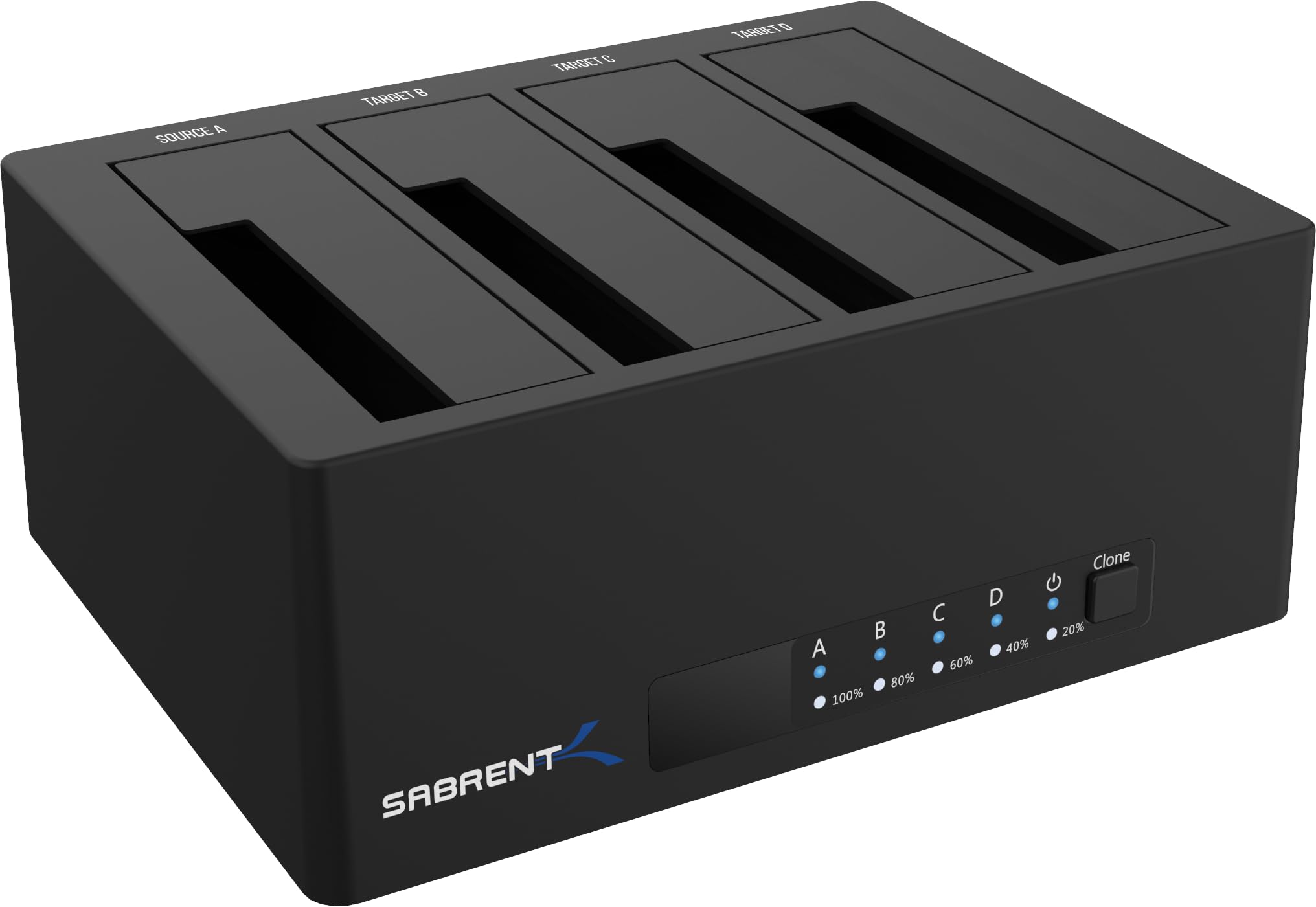
Read Amazon ReviewsSABRENT DS-U3B4 4-Bay USB 3.0 Docking Station
Choose the EC-CH2B if two bays meet your needs and USB-C is important to your setup. Consider the DS-U3B4 if you need to access as many as four drives in one dock; its listed connection is USB 3.0.
- The DS-U3B4 provides four bays for 2.5-inch or 3.5-inch SATA HDDs and SSDs, USB 3.0 connectivity up to 5Gbps, and offline cloning with progress LEDs.
- The EC-CH2B holds two 2.5-inch or 3.5-inch SATA drives and supports offline cloning, with USB 3.0 transfer speeds up to 5Gbps.
Hard Drive Docking Stations alternative
17,000+ ratings
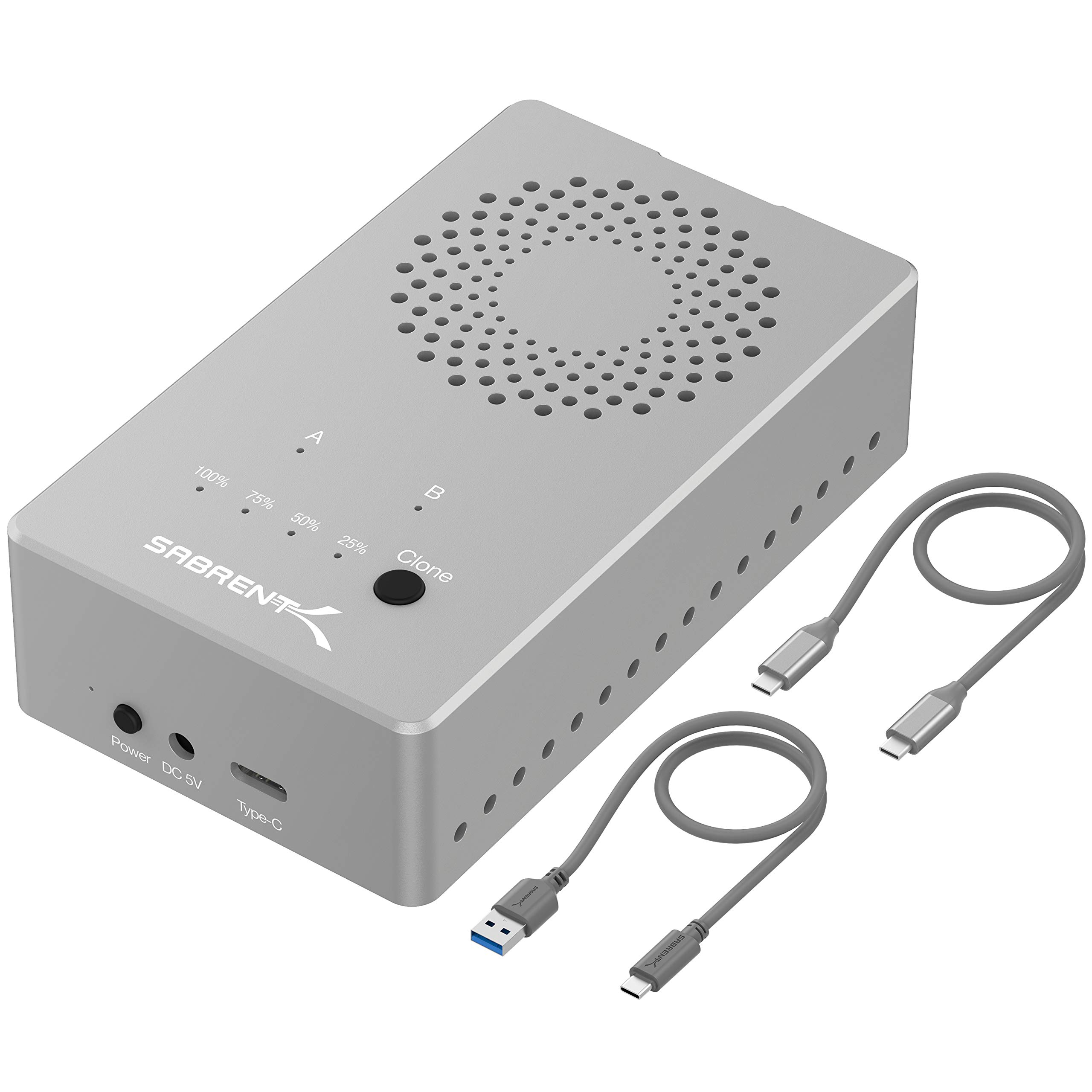
Read Amazon ReviewsSABRENT EC-SSD2 Dual-Bay NVMe M.2 SSD Cloner
Choose the EC-CH2B for the 2.5-inch or 3.5-inch SATA drives it supports. Consider the EC-SSD2 if your drives are compatible NVMe M.2 SSDs and you want a dock designed for that different form factor.
- The EC-SSD2 is for NVMe M.2 SSDs in 2230, 2242, 2260, and 2280 sizes, supports USB 3.2 speeds up to 10Gbps, and offers offline cloning.
- It does not support M.2 SATA or AHCI SSDs.
- The EC-CH2B supports 2.5-inch and 3.5-inch SATA drives and lists up to 5Gbps transfer speed.
Is SABRENT EC-CH2B Worth It?
The SABRENT EC-CH2B is worth considering if you need a simple way to access two 2.5-inch or 3.5-inch SATA drives and value offline cloning.
Its tool-free design, simultaneous drive access, and Windows and Mac OS compatibility make it a practical option for routine desktop storage work.
Keep the cloning speed limit in mind and check the drive requirements before starting a large or important copy. If that tradeoff fits your workflow, the EC-CH2B combines useful everyday drive access with direct cloning in one dock.
Your review at a glance
1,000+ ratings
Read Amazon ReviewsSABRENT EC-CH2B Dual-Bay USB-C Dock
A practical fit for buyers who switch between SATA drives, access two disks at once, or clone drives without connecting a computer.
- Two drive bays support 2.5-inch and 3.5-inch SATA hard drives.
- Read and write two drives simultaneously.
- Offline cloning copies drives without a computer; the listed clone speed is up to 60MBps.
- USB 3.0 host connection supports transfer speeds of up to 5Gbps.