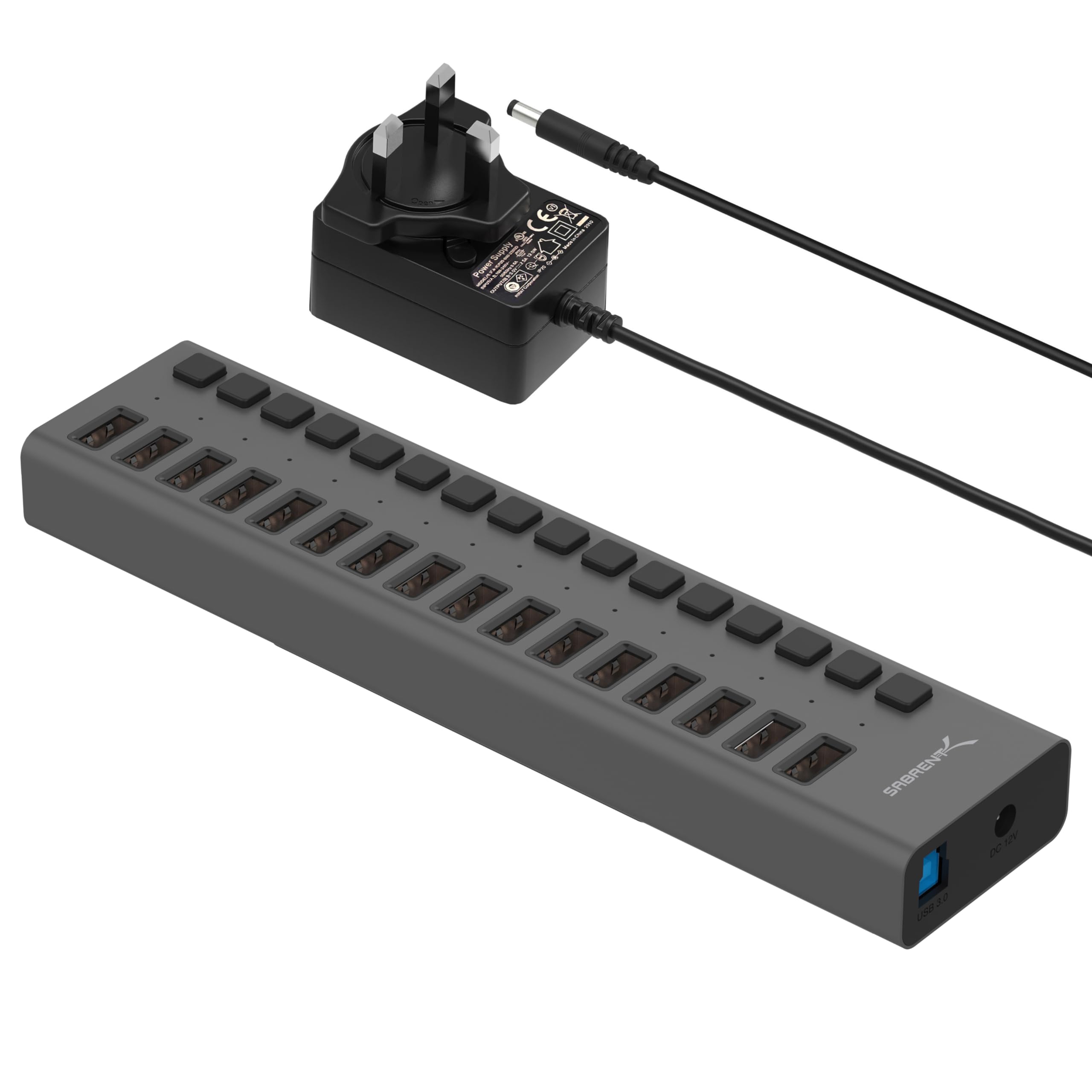
The SABRENT HB-PU16 review centers on a powered USB-A hub for setups where a handful of ports is not enough.
Its 16 USB 3.0 ports, individual power switches, and per-port blue status lights are aimed at people who want a large bank of connections under one roof.
SABRENT HB-PU16 Review Summary
The quick verdict
1,000+ ratings
Read Amazon ReviewsSABRENT HB-PU16
A fit for desks that need many USB-A connections, individual port control, and a powered hub for mixed peripherals and storage.
- Sixteen downstream USB 3.0 Type-A ports for connecting compatible peripherals.
- Data transfer speeds of up to 5Gbps; supported transmission modes also include USB 2.0 at up to 480Mbps, full-speed at 12Mbps, and low-speed at 1.5Mbps.
- Compatible with USB 2.0 and USB 1.1 devices.
- Individual power switches provide a separate control for each port.

Pros
- Sixteen ports can consolidate a large number of USB-A devices in one hub.
- Individual switches make it easier to control connected devices without unplugging them.
Consider before buying
- A 16-port hub is more capacity than a compact desk or travel setup may need.
- The up-to-5Gbps figure is a maximum supported rate; actual transfers depend on the connected devices and the overall setup.
Read the full review summary
The HB-PU16 stands out for port count and control: it provides 16 downstream USB 3.0 connections, with compatibility for USB 2.0 and USB 1.1 devices.
Individual switches let you manage connected devices port by port, while blue LEDs indicate power status. That combination can make a crowded desk easier to organize, especially when several peripherals or storage devices stay connected.
It is best suited to a fixed workspace with many USB-A accessories and a need for a powered hub.
The maximum listed transfer rate is up to 5Gbps, but that is a port capability rather than a promise that every connected device will transfer at that rate simultaneously.
Before buying, consider how many devices need data access at once and whether your setup calls for a conventional USB-A hub or a more specialized dock.
The buying factors
SABRENT HB-PU16 Scorecard
Editorial scores reflect listed features and buyer fit; they are not laboratory measurements or customer ratings.
Port capacity
Sixteen downstream ports provide substantial room for a multi-device USB-A setup.
Port-level control
Each port has an individual power switch, which is useful when devices need to be managed separately.
Device compatibility
USB 3.0 ports are compatible with USB 2.0 and USB 1.1 devices, supporting a mixed-generation collection.
Data-rate capability
The listed maximum is up to 5Gbps, with multiple supported USB transmission speeds.
Power visibility
A blue LED at each port indicates power status at a glance.
Setup flexibility
Plug-and-play and hot-swappable operation suit changing peripherals, while the large port count is more desk-oriented than minimal.
Key Features and Specifications of SABRENT HB-PU16
- Sixteen downstream USB 3.0 Type-A ports for connecting compatible peripherals.
- Data transfer speeds of up to 5Gbps; supported transmission modes also include USB 2.0 at up to 480Mbps, full-speed at 12Mbps, and low-speed at 1.5Mbps.
- Compatible with USB 2.0 and USB 1.1 devices.
- Individual power switches provide a separate control for each port.
- Blue LEDs indicate power status for each port.
- Plug-and-play and hot-swappable operation are designed to simplify connecting and changing devices.
- The listed uses include USB flash drives, card readers, external hard drives, and other USB peripherals for access or charging.
Pros and Cons of SABRENT HB-PU16
Pros
- Sixteen ports can consolidate a large number of USB-A devices in one hub.
- Individual switches make it easier to control connected devices without unplugging them.
- Per-port blue power indicators provide a quick visual check of port status.
- USB 2.0 and USB 1.1 compatibility helps accommodate older peripherals alongside USB 3.0 devices.
Consider before buying
- A 16-port hub is more capacity than a compact desk or travel setup may need.
- The up-to-5Gbps figure is a maximum supported rate; actual transfers depend on the connected devices and the overall setup.
- Buyers should confirm that a USB-A hub matches their host ports and that their power arrangement suits the devices they plan to connect.
Who Should Buy SABRENT HB-PU16?
Good fit
Consider the HB-PU16 if your workspace regularly uses many USB-A peripherals, drives, or card readers and you want to leave them connected.
Its 16-port layout gives more room than a small hub, and the individual switches offer a practical way to control device connections from the hub itself.
It may also suit someone who mixes newer and older USB devices.
The backward compatibility and multiple supported transmission speeds allow the hub to accommodate peripherals from different USB generations, while the LEDs make port power status easier to see.
Before choosing it, count the devices that need to stay connected and check your host's available USB connection and the power needs of your planned setup.
The product description lists use for accessing or charging peripherals, but the available details do not specify a per-port charging output or how performance is shared across all 16 connections.
Who should skip it
Choose a smaller hub if you only need a few ports or want a minimal, travel-focused accessory; the 16-port capacity may be unnecessary for that routine.
Look elsewhere if your setup specifically requires a USB-C dock, display output, networking, or a defined high-output charging arrangement. Confirm the connection and power specifications you need before buying.
How the SABRENT HB-PU16 Fits a Multi-Device Desk
Sixteen ports change the shape of a setup
The central advantage is straightforward: many USB-A devices can remain connected through one hub. That is useful when a desk combines input devices, removable storage, card readers, and other peripherals.
It is less compelling when only one or two connections are needed, so the value of the layout depends on how often the extra ports will be used.
Switches and indicators add practical control
A switch for each port gives the user a way to manage connections individually, while the blue LEDs show power status.
Together, those details may help keep a busy setup understandable and reduce the need to disconnect a device physically when it is not in use.
They are control and visibility features; they do not establish a particular power-saving or safety result.
Read the speed figure as a capability
Up to 5Gbps is the stated maximum for the USB 3.0 connections, and the product also supports slower USB transmission modes.
A device's own interface and the rest of the connection path matter, so buyers should treat the maximum as a capability rather than an expected rate for every task or a guarantee of simultaneous full-speed transfers across all ports.
Check the host and power fit first
The HB-PU16 is a USB-A hub intended for USB peripherals and is described as usable for accessing or charging them.
The details provided do not define charging output by port or explain how power is allocated under a full load.
If charging is central to the purchase, check the power requirements of the devices and the hub's complete power specifications before relying on it for that role.
Alternatives to SABRENT HB-PU16
USB Hubs alternative
6,000+ ratings
Read Amazon ReviewsSABRENT HB-B7C3 10-Port USB 3.0 Hub
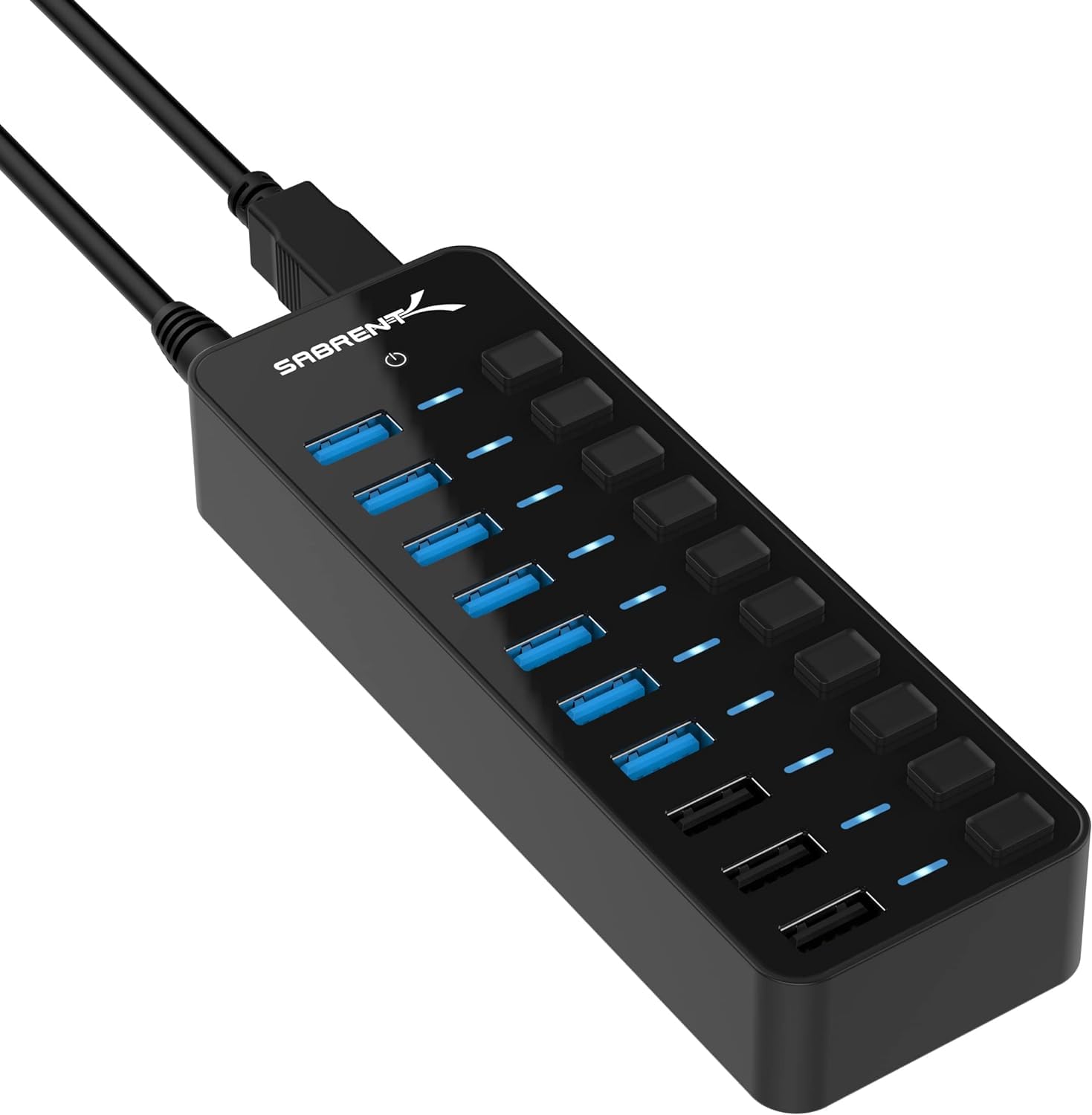
Choose the HB-PU16 when having 16 connections is the priority. The HB-B7C3 is a better fit when seven USB 3.0 device connections are enough and the specifically described charging ports and included power adapter better match the setup.
- The HB-B7C3 supports up to seven USB 3.0 devices at once and lists transfer speeds up to 5Gbps.
- It has individual power switches and LEDs, three dedicated smart-charging ports rated up to 2.4A per port, and an included 60W power adapter.
- The HB-PU16 offers 16 USB 3.0 ports, individual power switches, and per-port blue power indicators, with a listed maximum transfer speed of up to 5Gbps.
USB Hubs alternative
2,000+ ratings
Read Amazon ReviewsSABRENT HB-MC3B 4-Port USB 3.0 Hub
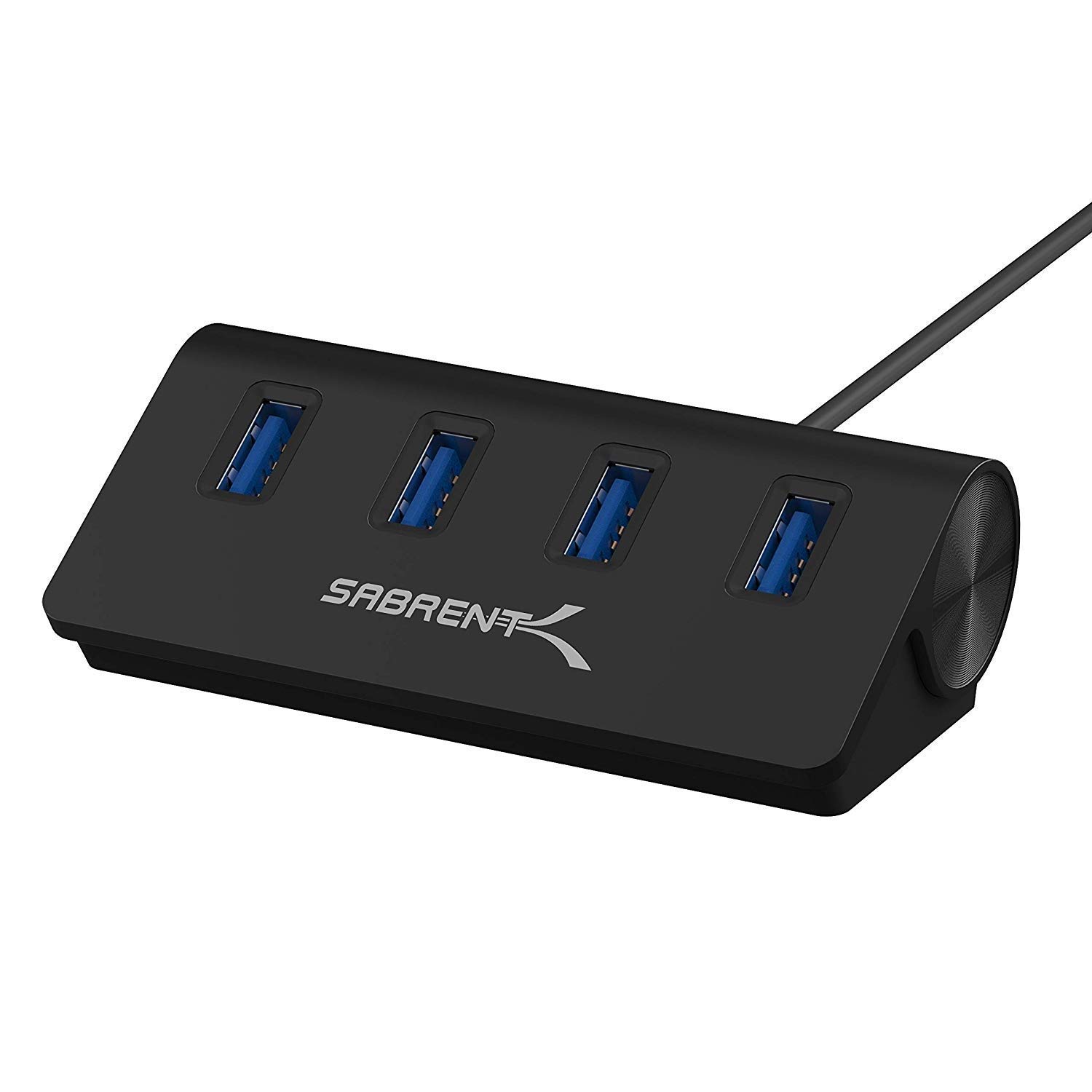
The HB-MC3B suits a simpler setup that needs just four USB 3.0 ports and a specified cable length. Keep the HB-PU16 in consideration when a much larger number of connections and individual port switches matter more.
- The HB-MC3B is a four-port USB 3.0 hub with a 2.5-foot cable. It supports transfer speeds up to 5Gbps and is described as plug-and-play and hot-swappable.
- The HB-PU16 is a 16-port powered USB-A hub with individual switches and power-status LEDs.
Is SABRENT HB-PU16 Worth It?
The SABRENT HB-PU16 is worth considering for a desk with many USB-A peripherals, particularly when individual port control and clear power indicators are useful.
Its 16 ports and compatibility with older USB generations make it a flexible connection point for a mixed device collection.
Buy it when you can use the capacity and have confirmed that the host connection and power arrangement fit your devices.
If you need only a few ports, or require a specific charging output, choose a hub whose size and power details match those needs more closely.
Your review at a glance
1,000+ ratings
Read Amazon ReviewsSABRENT HB-PU16
A fit for desks that need many USB-A connections, individual port control, and a powered hub for mixed peripherals and storage.
- Sixteen downstream USB 3.0 Type-A ports for connecting compatible peripherals.
- Data transfer speeds of up to 5Gbps; supported transmission modes also include USB 2.0 at up to 480Mbps, full-speed at 12Mbps, and low-speed at 1.5Mbps.
- Compatible with USB 2.0 and USB 1.1 devices.
- Individual power switches provide a separate control for each port.