The SABRENT USB-C & USB-A SD/Micro SD Card Reader review is for anyone who moves photos, videos, or other files between memory cards and devices with different USB ports.
Its dual card slots and USB-C and USB-A connectivity make it a flexible everyday reader, with compatibility dependent on the host device.
SABRENT Card Reader Review Summary
The quick verdict
2,000+ ratings
Read Amazon ReviewsSABRENT USB-C & USB-A SD/Micro SD Card Reader
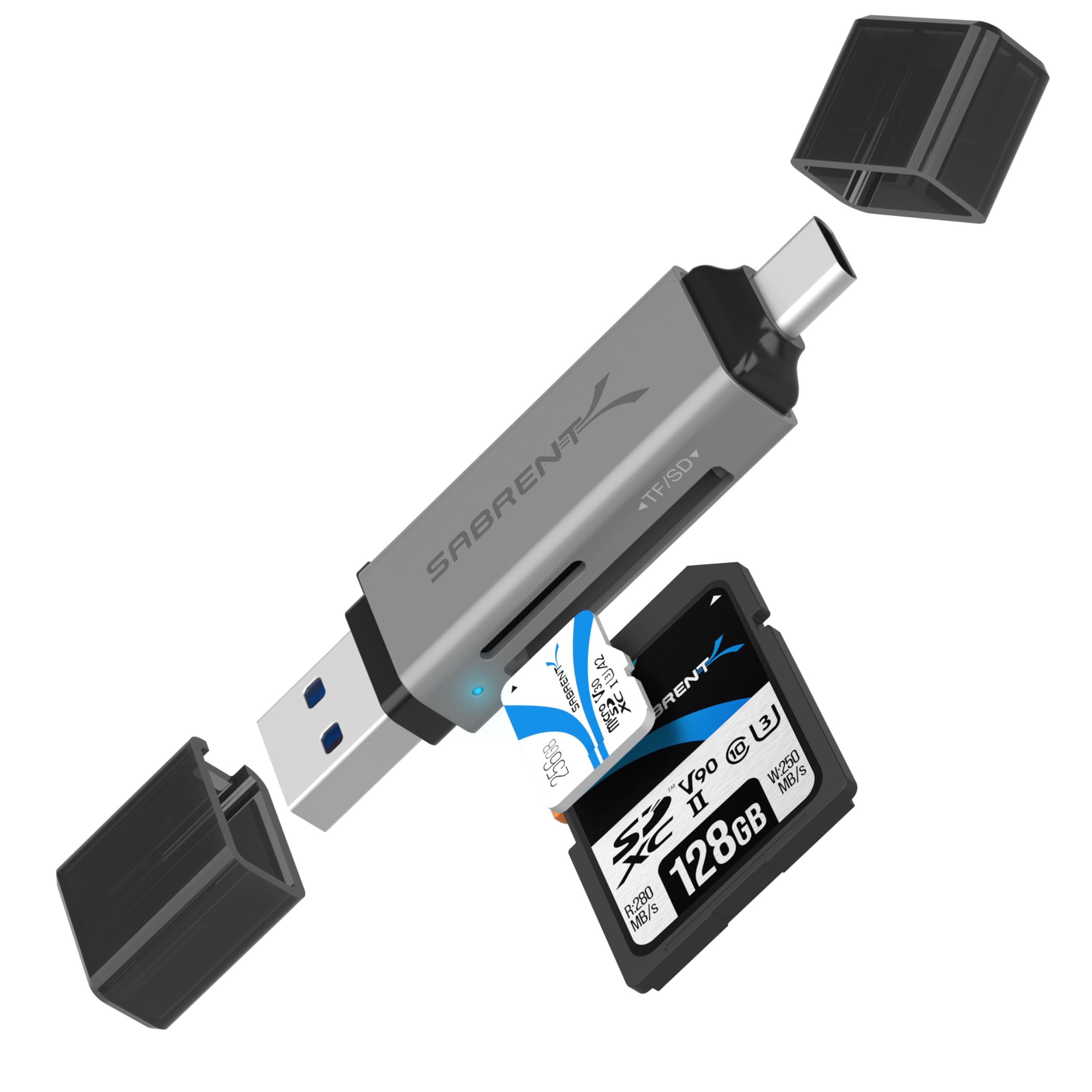
A compact option for moving files from SD and microSD cards between compatible USB-C or USB-A computers and Android devices.
- USB-C and USB-A connectivity for use with compatible devices that have either port.
- Two card slots support SD, SDHC, SDXC, microSD, microSDHC, and microSDXC formats.
- USB 3.0 interface supports transfer speeds up to 5Gbps and is backward compatible with USB 2.0.
- Plug-and-play design requires no drivers or software on supported devices.

Pros
- Combines USB-C and USB-A connections in one reader for flexible host-device use.
- Reads both standard SD and microSD formats, including several capacity-generation variants.
Consider before buying
- Android support is limited to compatible devices, so check your phone or tablet's USB-C data support before relying on it.
- The up-to-5Gbps interface figure is a maximum; it does not guarantee that every card or host will transfer at that speed.
Read the full review summary
This reader brings two useful conveniences together: slots for standard SD and microSD cards, plus USB-C and USB-A connections.
That can simplify transfers when your camera or other device uses a card format and your computer or compatible Android device uses a different port. Plug-and-play operation also avoids a separate driver or software setup.
Its USB 3.0 interface supports transfers up to 5Gbps, with backward compatibility for USB 2.0 hosts. That maximum describes the interface; actual transfer speeds depend on the card, host, files, and connection.
The compact, lightweight design and activity indicator make it a practical candidate for a camera bag or laptop kit, provided its connectors suit the devices you plan to use.
The buying factors
SABRENT Card Reader Scorecard
Editorial scores reflect listed features and buyer fit; they are not laboratory measurements or customer ratings.
Port flexibility
USB-C and USB-A connections cover many current and traditional ports, though device compatibility still matters.
Card format coverage
Supports SD, SDHC, SDXC, microSD, microSDHC, and microSDXC cards.
Transfer interface
USB 3.0 supports speeds up to 5Gbps and works with USB 2.0 hosts.
Setup simplicity
Plug-and-play operation requires no drivers or software on supported systems.
Portability
Its lightweight, compact design is suited to carrying in a pocket, bag, or camera case.
Device compatibility
Windows, macOS, and compatible Android devices are listed, but Android support is conditional.
Key Features and Specifications of SABRENT Card Reader
- USB-C and USB-A connectivity for use with compatible devices that have either port.
- Two card slots support SD, SDHC, SDXC, microSD, microSDHC, and microSDXC formats.
- USB 3.0 interface supports transfer speeds up to 5Gbps and is backward compatible with USB 2.0.
- Plug-and-play design requires no drivers or software on supported devices.
- Designed to work with Windows, macOS, and compatible Android devices.
- Compact, lightweight body with a built-in LED activity indicator.
Pros and Cons of SABRENT Card Reader
Pros
- Combines USB-C and USB-A connections in one reader for flexible host-device use.
- Reads both standard SD and microSD formats, including several capacity-generation variants.
- USB 3.0 provides a high interface ceiling for transfers when the card and host can make use of it.
- No separate driver or software installation is needed on supported systems.
- Small, lightweight design is easy to add to a travel or camera kit.
Consider before buying
- Android support is limited to compatible devices, so check your phone or tablet's USB-C data support before relying on it.
- The up-to-5Gbps interface figure is a maximum; it does not guarantee that every card or host will transfer at that speed.
- The description does not specify whether both card slots can be used at the same time; check this detail if simultaneous card access is important.
Who Should Buy SABRENT Card Reader?
Good fit
Consider this reader if your file-transfer routine involves both SD and microSD cards and you use a mix of USB-C and USB-A hosts.
Having both connector types can reduce the need to keep a separate adapter on hand, while the supported card families cover common camera and everyday-device formats.
It also suits buyers who want a simple utility for occasional photo, video, or document transfers. The plug-and-play approach and support for Windows and macOS keep setup straightforward, while compatible Android devices add another possible destination.
Confirm your particular device supports card-reader access before choosing it for a phone-based workflow.
For a portable kit, the lightweight form and LED activity indicator are practical touches.
The USB 3.0 interface may help when paired with a fast card and capable host, but evaluate the reader as a convenient bridge between cards and devices rather than expecting its maximum interface speed in every transfer.
Who should skip it
Skip it if your workflow requires a guaranteed transfer rate or simultaneous access to both card slots; neither outcome is established by the listed interface maximum and slot details.
If you plan to use it with an Android phone or tablet, first confirm that the device supports external card readers through its USB-C port.
How the SABRENT Card Reader fits a mixed-device workflow
Two connector types simplify handoffs
USB-C and USB-A connections make this reader adaptable across a range of host ports.
That is useful when moving files between a newer laptop and older desktop, for example, but the connector alone does not establish compatibility with every device.
Check the host's port and operating-system support before depending on a particular transfer path.
Dual slots cover common card families
Support for SD and microSD across SDHC and SDXC generations makes the reader relevant to camera cards and smaller cards used in other devices.
This breadth can reduce the need for multiple readers, though the card itself and the host still shape the transfer experience. If you need to read two cards at once, verify that behavior before purchase.
The speed ceiling needs context
USB 3.0 is specified for speeds up to 5Gbps and remains backward compatible with USB 2.0. That provides a useful interface ceiling, but file transfers involve the card, host, port, and file workload too.
Buyers moving large video folders should consider the full chain rather than treating the interface figure as a guaranteed real-world rate.
A small tool for routine transfers
The compact, lightweight design is suited to keeping a reader with a laptop or camera gear, and the activity LED offers a visual indication during use. Plug-and-play operation avoids a separate software step on supported platforms.
These choices favor portability and simplicity over a feature-heavy docking setup.
Alternatives to SABRENT Card Reader
One alternative is included because it offers a distinct card-format and compatibility profile for the same memory-card transfer task.
Computer Memory Card Readers alternative
10,000+ ratings
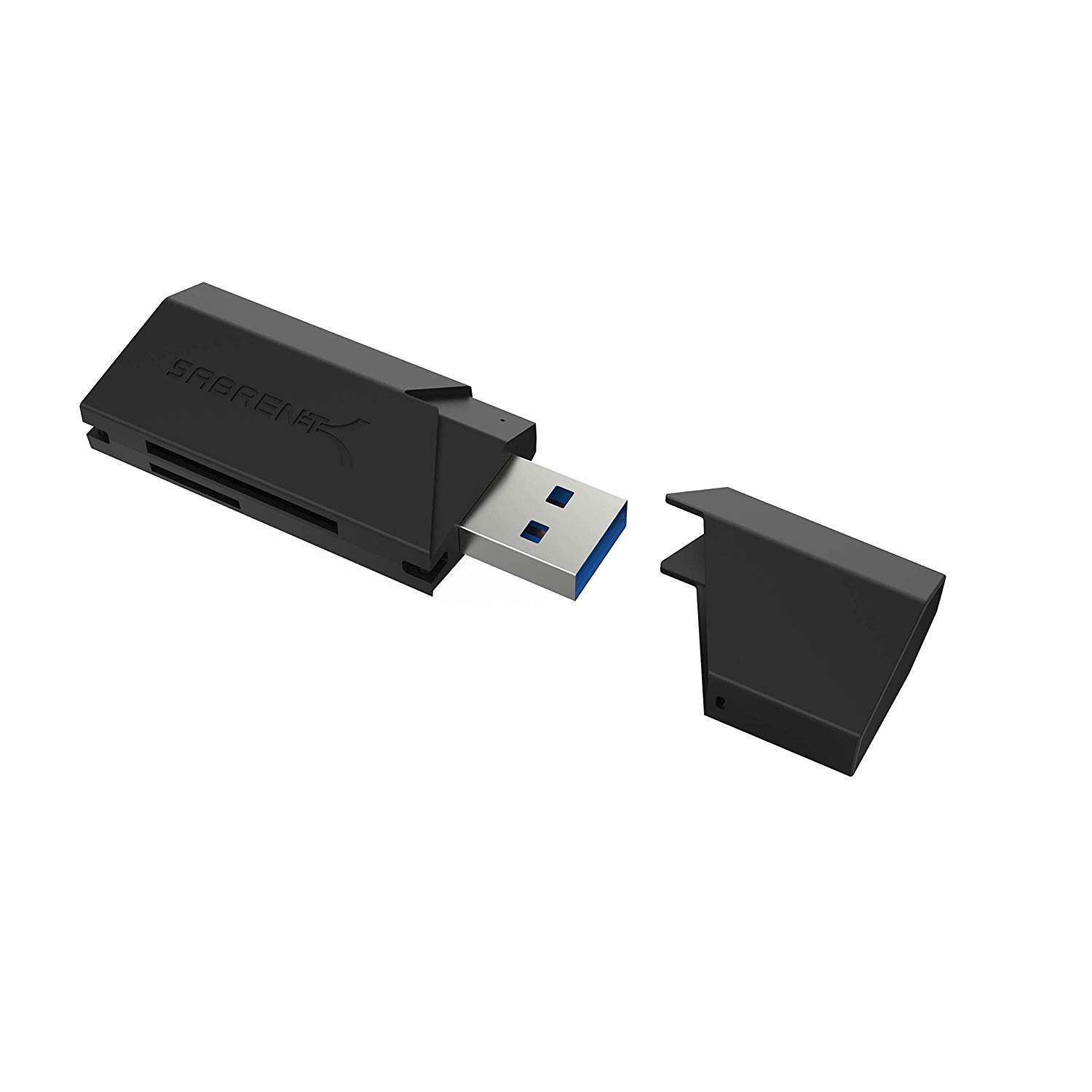
Read Amazon ReviewsSABRENT SuperSpeed 2 Slot USB 3.0 Card Reader (CR-UMSS)
Choose the USB-C & USB-A reader when having both connector types is useful. Consider the CR-UMSS if its broader listed card-format coverage, including MMC and T-Flash, better matches your cards and its supported host connections suit your setup.
- The CR-UMSS is a USB 3.0 reader that supports SD, SDHC, SDXC, MMC, microSD, and T-Flash, with USB 2.0 backward compatibility.
- It is listed for Windows, Mac, Linux, and certain Android systems.
- The USB-C & USB-A model supports SD and microSD families and connects through both USB-C and USB-A.
Is SABRENT Card Reader Worth It?
The SABRENT USB-C & USB-A SD/Micro SD Card Reader is worth considering as a compact, straightforward reader for people who handle both SD and microSD cards across USB-C and USB-A devices.
Its wide card-family support, plug-and-play design, and portability make it a practical everyday option.
Before buying, confirm compatibility with the specific host—especially an Android device—and keep the up-to-5Gbps figure in context as an interface maximum. If those conditions fit your workflow, this reader offers useful connection flexibility without a complicated setup.
Your review at a glance
2,000+ ratings
Read Amazon ReviewsSABRENT USB-C & USB-A SD/Micro SD Card Reader
A compact option for moving files from SD and microSD cards between compatible USB-C or USB-A computers and Android devices.
- USB-C and USB-A connectivity for use with compatible devices that have either port.
- Two card slots support SD, SDHC, SDXC, microSD, microSDHC, and microSDXC formats.
- USB 3.0 interface supports transfer speeds up to 5Gbps and is backward compatible with USB 2.0.
- Plug-and-play design requires no drivers or software on supported devices.